> For the complete documentation index, see [llms.txt](https://docs.zbrain.ai/llms.txt). Markdown versions of documentation pages are available by appending `.md` to page URLs; this page is available as [Markdown](https://docs.zbrain.ai/zbrain-release-notes/zbraindocs-release-notes/zbrain-version-2.4.6-or-jan-29-2026.md).
# ZBrain Version 2.4.6 | Jan 29, 2026
### Overview
ZBrainDocs introduces a more structured, transparent, and resilient research workflow for document generation. This release strengthens the end-to-end experience by clearly separating planning and research execution, enabling asynchronous agent workflows with real-time progress visibility, and ensuring full document persistence across sessions. Users can now revisit, edit, and organize generated documents, track agent activity, manage projects, and control data sources—while maintaining continuity, traceability, and governance throughout the research lifecycle.
### New features
#### **Start research execution with a split-screen research view**
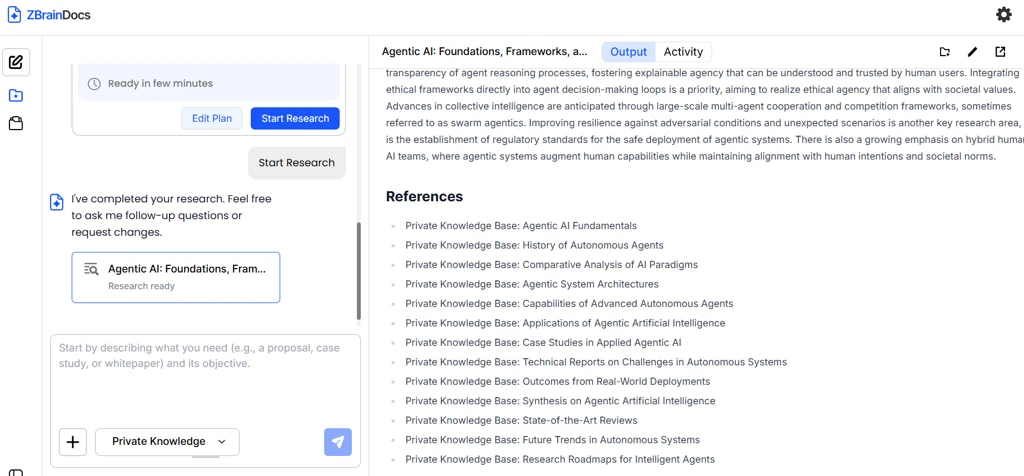
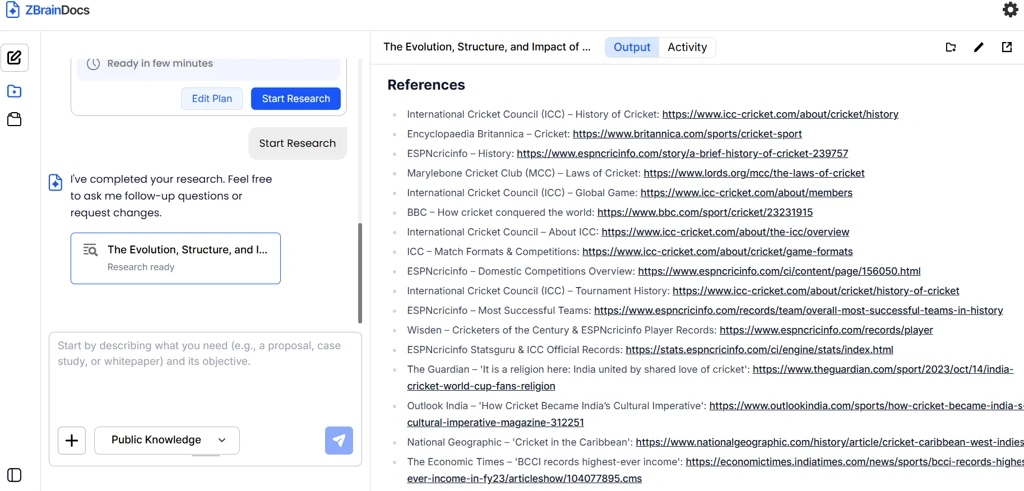
ZBrainDocs enables users to start and track research execution through an interactive, split-screen experience. With real-time progress visibility, structured output, and seamless access to completed documents, users can generate, review, and download research reports without breaking their workflow.
**Navigation:**\
ZBrain-> ZBrainDocs → Create New Document → Chat Interface → Generate Report → Start Research
**Key outcomes:**
* Provides real-time visibility into research execution by displaying planning steps, agent activity, and generated output in a split-screen view.
* Automatically displays the final report in the **Output** tab once research completes, eliminating the need for manual refreshes or additional user actions.
* Maintains a persistent **Activity** tab that logs every agent step taken during research and report generation.
* Enables users to switch freely between Activity and Output views at any time for transparency and traceability.
* Preserves generated content when users close the split-screen view, allowing them to return to the main chat without losing progress.
* Allows users to reopen completed documents at any time via a document card in the chat interface.
* Enhances usability with scrollable panels, structured report content, and linked references for easy navigation and validation.
#### **View, edit and organize generated documents across My Documents and Projects**
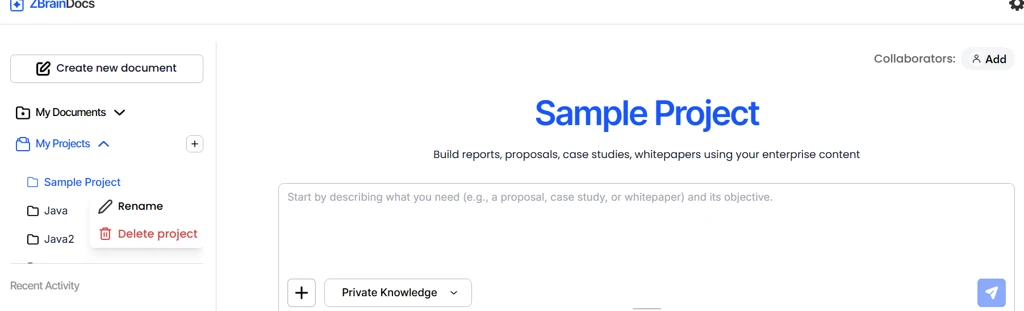
ZBrainDocs now enables users to fully manage generated documents through **My Documents** and **My Projects**, allowing them to view past conversations, edit completed reports, organize documents into projects, and create or delete projects as needed. This enhancement ensures documents remain editable, reusable, and well-organized throughout their lifecycle.
**Navigation:**\
ZBrain → ZBrainDocs → Landing Page → My Documents / My Projects
**Key outcomes:**
* Enables users to revisit complete past conversations and view all AI activity steps for any generated document.
* Provides clear visibility into document status, distinguishing between in-progress and fully generated documents within My Documents and My Projects.
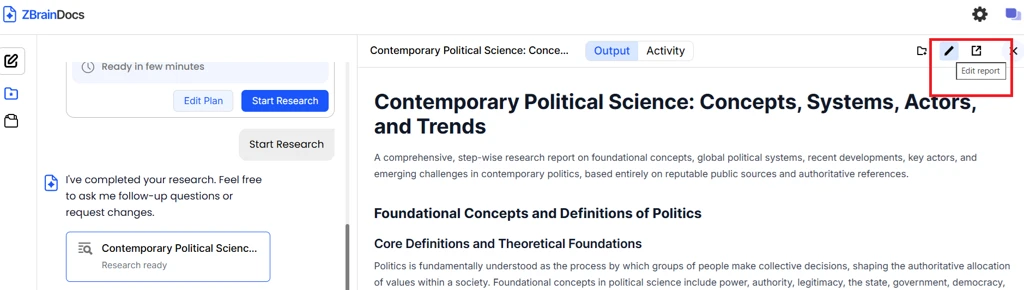
* Allows users to edit completed documents using a rich text editor, with safeguards to prevent accidental data loss through save, discard, or cancel options.
* Supports flexible project organization, allowing documents to be added to existing projects or grouped into new ones.
* Makes project management intuitive by allowing users to create and delete projects from multiple entry points across the platform.
* Displays documents in expandable lists under **My Documents** and **My Projects**, ensuring easy access to both recent and older work.
* Maintains full document accessibility and editability (once generated), ensuring users can confidently manage, refine, and organize documents across projects.
#### **Public knowledge as a data source**
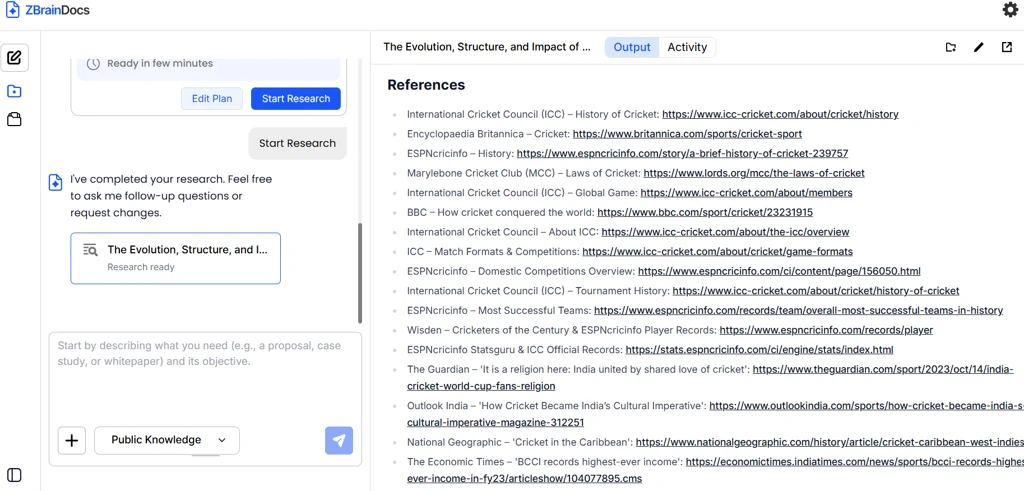
ZBrainDocs now allows users to generate documents using **Public Knowledge** as the selected data source. This option enables report creation based solely on publicly available web data, without accessing or relying on any private or enterprise-connected knowledge sources—while keeping the overall planning and research experience unchanged.
**Navigation:**\
ZBrain-> ZBrainDocs → Create New Document → Chat Interface → Generate Report → Select Public Knowledge
**Key outcomes:**
* Enables report generation using publicly available web data without relying on private or enterprise-connected knowledge sources.
* Provides a clear and intentional separation between Public Knowledge and Private Knowledge workflows at the data source level.
* Preserves a consistent planning and research experience across both modes, ensuring no change in user interaction or capabilities.
* Strengthens data governance and compliance by preventing accidental access to private or enterprise data when Public Knowledge is selected.
* Allows users to explicitly select **Public Knowledge** from the knowledge source selector, ensuring transparency and control over how data is sourced during document generation.
---
# Agent Instructions
This documentation is published with GitBook. GitBook is the documentation platform designed so that both humans and AI agents can read, navigate, and reason over technical content effectively. Learn more at gitbook.com.
## Querying This Documentation
If you need additional information that is not directly available in this page, you can query the documentation dynamically by asking a question.
Perform an HTTP GET request on the current page URL with the `ask` query parameter, and the optional `goal` query parameter:
```
GET https://docs.zbrain.ai/zbrain-release-notes/zbraindocs-release-notes/zbrain-version-2.4.6-or-jan-29-2026.md?ask=&goal=
```
`ask` is the immediate question: it should be specific, self-contained, and written in natural language.
`goal` is optional and describes the broader end goal you are ultimately trying to accomplish on behalf of the user. GitBook uses it to tailor the answer towards what is most useful for that goal.
The response will contain a direct answer to the question and relevant excerpts and sources from the documentation.
Use this mechanism when the answer is not explicitly present in the current page, you need clarification or additional context, or you want to retrieve related documentation sections.